You can reset your password at any time with just a few simple steps.
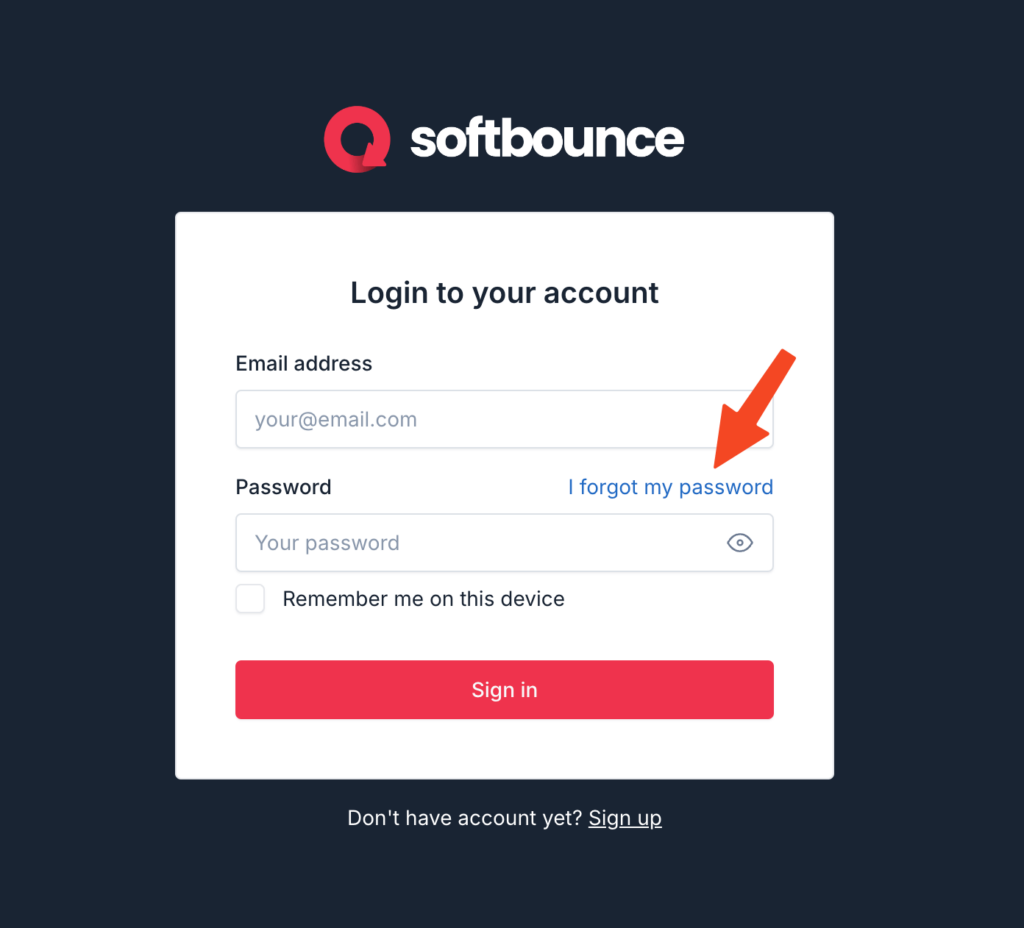
Step 1: Go to the SoftBounce login page and click “I forgot my password”:
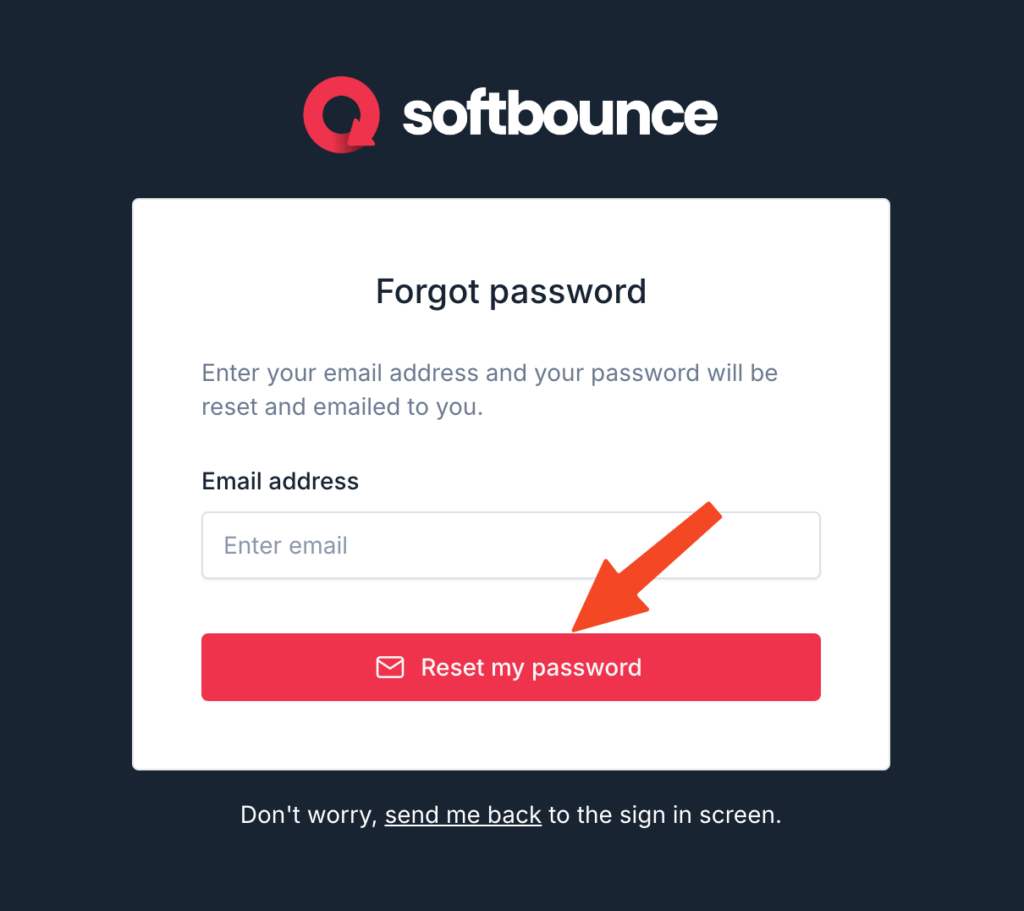
Step 2: Enter your account’s email address and click “Reset my password”:
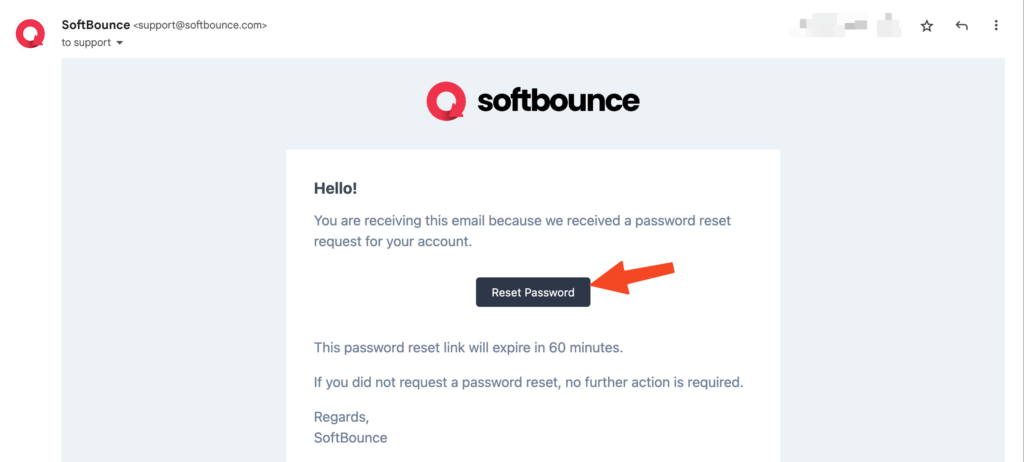
Step 3: Check your email for a password reset email (it may take 2-5 minutes), open the email and click “Reset Password”:
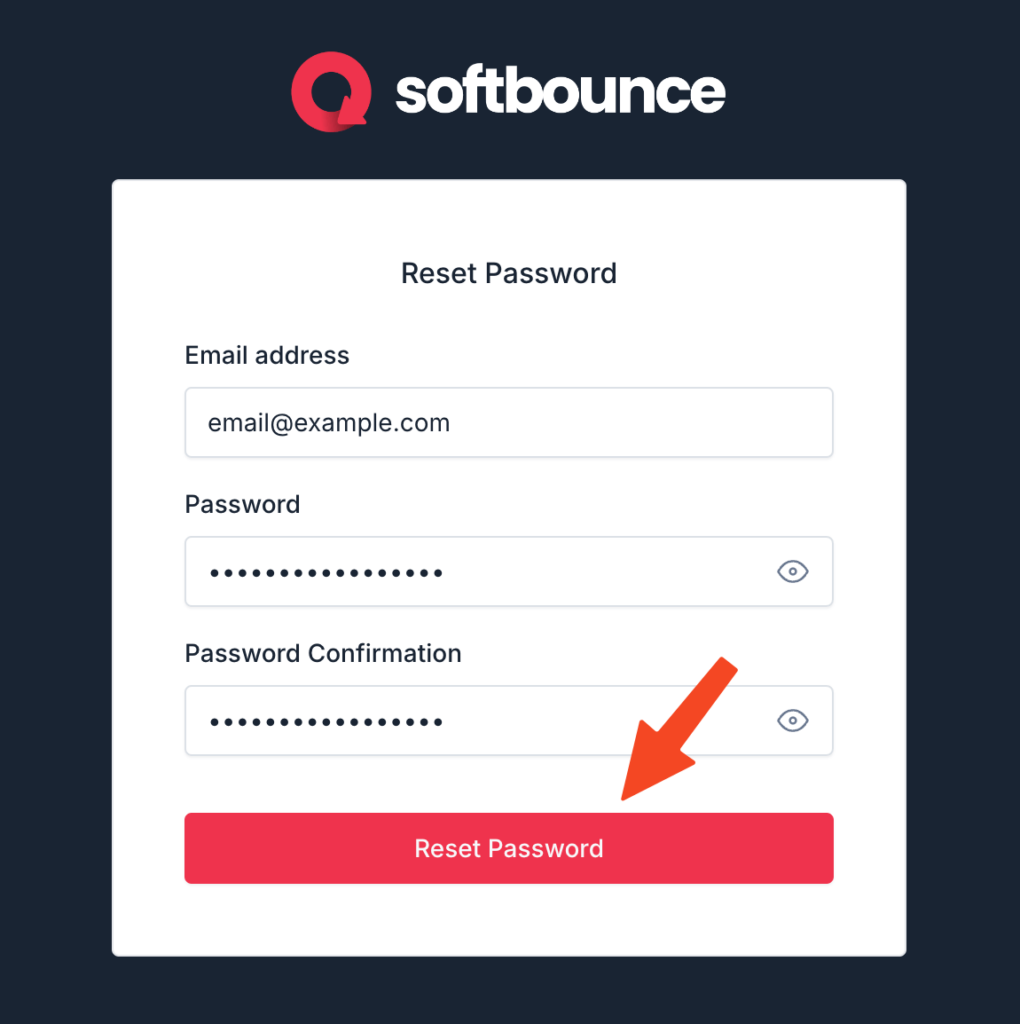
Step 4: Enter a strong new password into both inputs and click “Reset Password”. Your password is now reset and you will be able to login with your new details.
Stuck and need more help? Here’s our support page to get in touch.